Viewing Your Manifest
Viewing your manifest with IIIF Image Viewer
Viewing Online in UniversalViewer
- Copy that URL, navigate to http://universalviewer.io/uv.html?manifest= and past the hosted manifest url after the
=in the url.
Hopefully you see your images in the UniversalViewer.
Viewing Online in Mirador
Let's also view this in Mirador
Navigate to http://projectmirador.org/demo/.
Click the
xbox in both windows to close the windows.Hover over the icon to the right of the
xand click "Replace Object"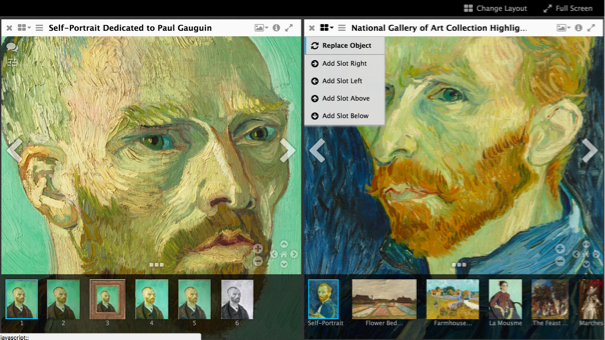
Paste in your manifest url to the text box "Add new object from URL:"
Click "Load" - You should see your manifest loaded there. Click on one of your images.
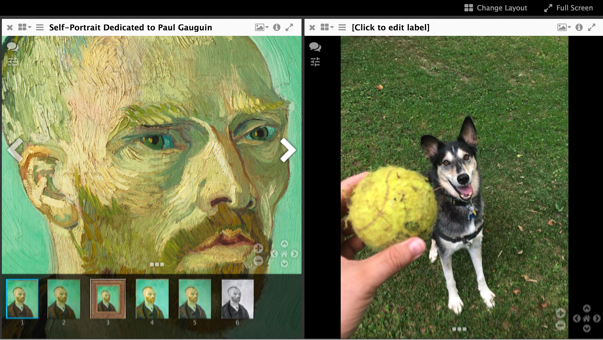
You should see one of your images now in the view next to a van Gogh
Viewing in a local Mirador Instance
- Download the most recent release from here: https://github.com/ProjectMirador/mirador/releases
- Unzip the package
- In Chrome open the file in the downloaded package called example.html
- File->Open File->example.html
- Now drop in your custom manifest